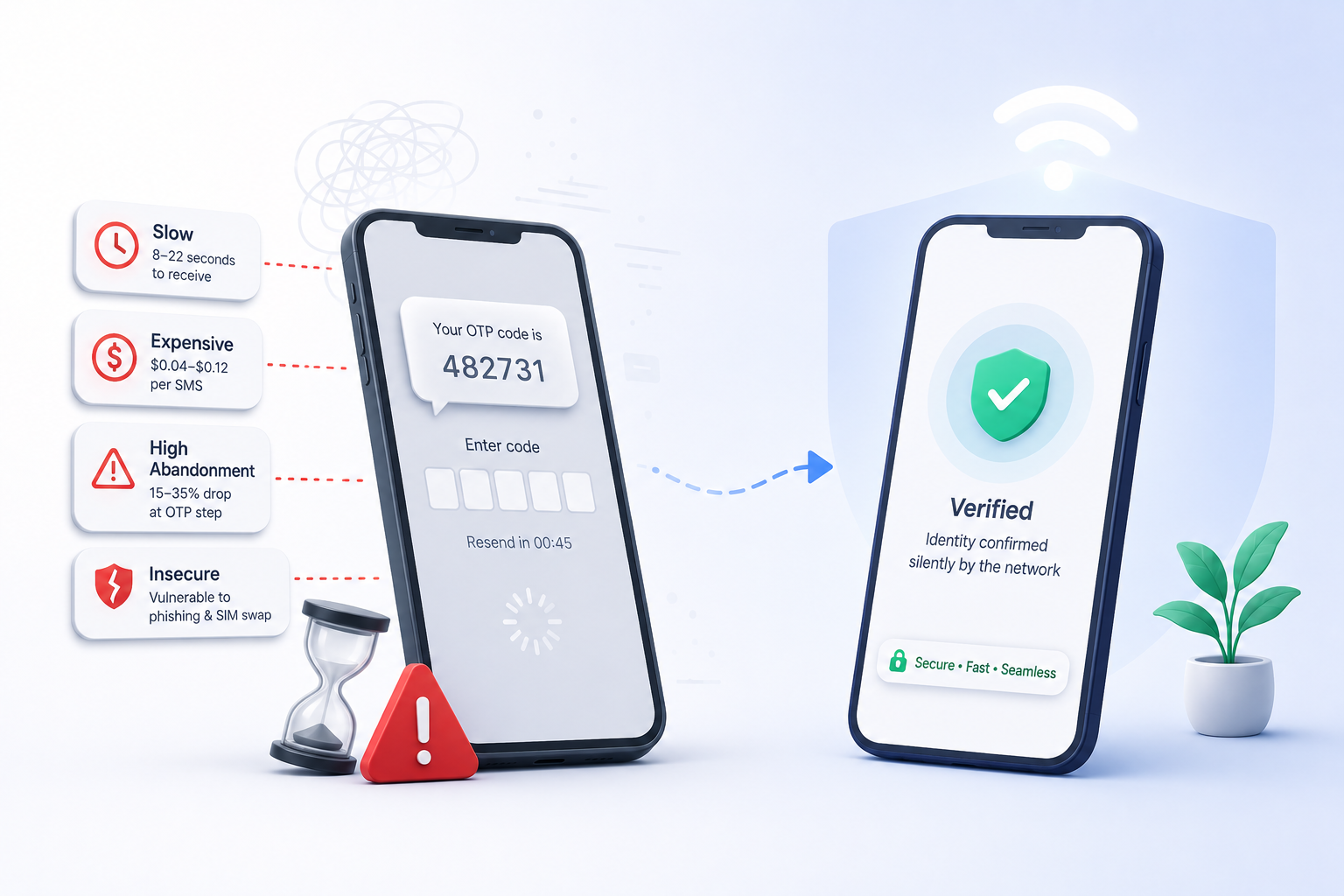
How silent mobile number verification actually works (the carrier-level deep dive)
A technical, no-marketing walkthrough of what happens between the moment a customer types their mobile number and the moment your application receives a verified identity outcome. Written for engineers and architects who want to know how the trust is actually built.
This post is for engineers and architects. If you are evaluating silent mobile verification and want to understand how the trust is actually built — what is exchanged, where the cryptography lives, what the failure modes look like — read on. We are going to skip the marketing framing and walk through the actual mechanism.
The short version
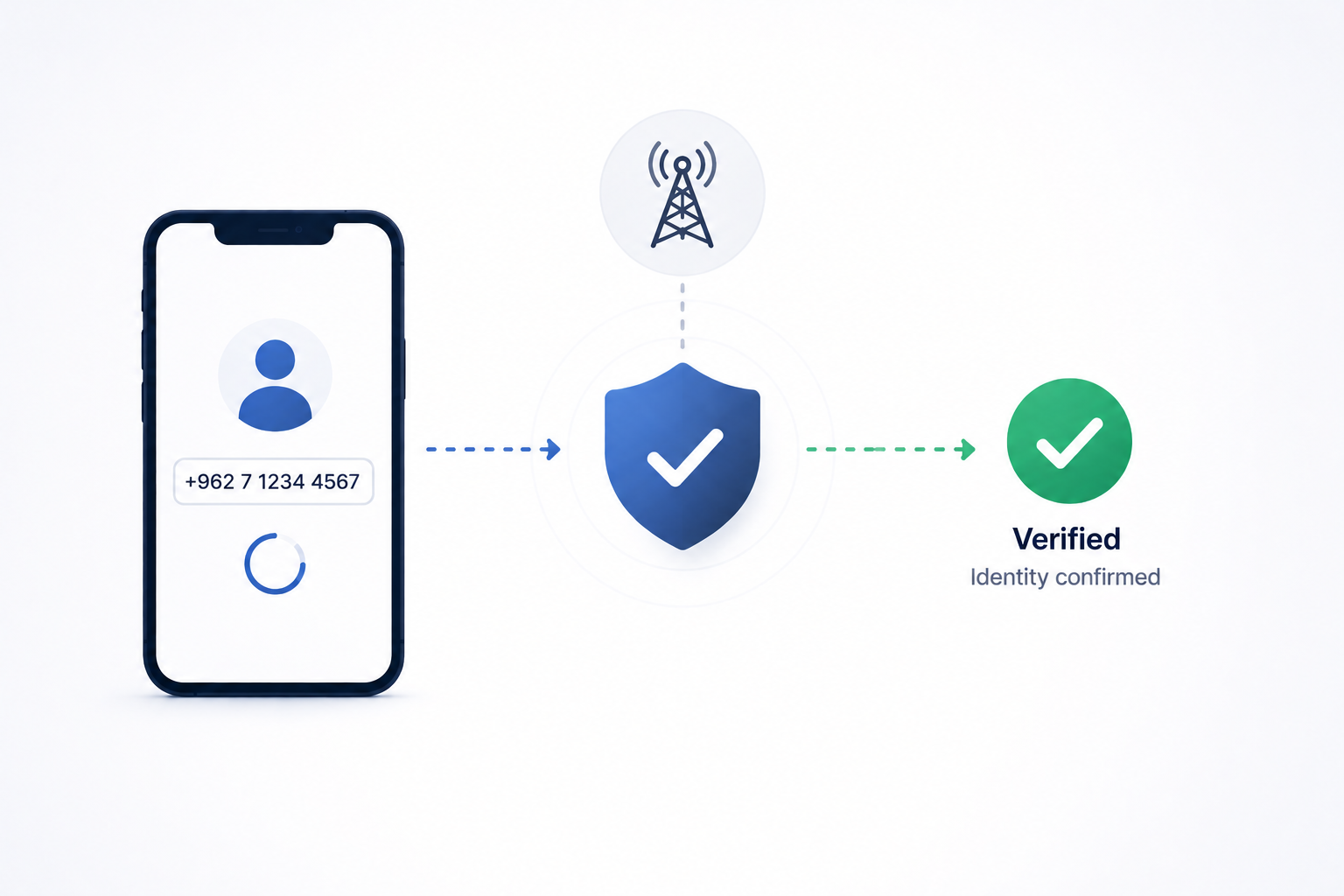
Silent mobile verification asks the mobile network to confirm that the device making a network-level request is associated with the mobile number the customer claims. The customer never sees a code. The mobile network does the proving. The result returns to your application as a signed identity outcome.
Three parties are involved:
- Your application — the surface where the customer enters their mobile number.
- The mobile network operator — the carrier whose subscriber records actually establish identity.
- The identity platform (Authmatech) — the intermediary that orchestrates the carrier check, normalizes the result across operators, and returns a signed outcome.
The customer's device is the fourth participant, but it does almost nothing visible — the work happens between the network and the platform on its behalf.
The flow, end to end
A typical silent verification request walks through five phases:
Phase 1 — Request initiation
The customer enters their mobile number in your application. The application calls the Authmatech SDK or REST endpoint with the number, the customer context (session ID, IP, user agent), and a one-time challenge nonce that the platform will tie the result to.
The platform does a cheap pre-flight check before involving the carrier:
- Is the number well-formed for the country it claims?
- Is the customer's IP plausible for a mobile-network origination?
- Has this session already been rate-limited or flagged?
Failed pre-flight requests never reach the carrier — keeps the carrier-side cost down and shrinks the blast radius of abuse.
Phase 2 — Carrier handoff
If pre-flight passes, the platform routes the request to the customer's carrier. The routing decision uses:
- The country code of the number.
- The mobile-network operator prefix.
- The customer's network-level origination (which carrier the request is currently routed through).
The carrier handoff happens via a carrier-grade identity API — different operators expose different specifics, but the contract is essentially: "we want to verify that the device currently on your network at this IP / session is the same subscriber whose number is X."
Phase 3 — Network-level verification
This is where the trust actually gets built. The carrier checks its own subscriber records against the device currently making the network-level request. The exact mechanism varies by operator (some use IMSI-level checks, some use session bindings, some use signed challenge exchanges), but the outcome is binary at this layer:
- Match — the device on the network IS the subscriber associated with the number.
- No match — the device is not, OR the device is not currently on the carrier network at all.
A "no match" result has two distinct sub-cases the platform exposes to your application:
- Verifiable mismatch — the device is on the carrier network but the number does not match. This is a strong negative signal.
- Unverifiable state — the device is not on the carrier network (Wi-Fi only, VPN, foreign roaming with a roaming partner that does not expose the identity API). This is neither a positive nor a negative — it is the case where Stuck+ takes over.
Phase 4 — Result normalization
Carriers return different result shapes. The platform normalizes them into a single outcome envelope that your application can rely on regardless of which carrier handled the request. The envelope includes:
- The verification outcome (verified, mismatch, unverifiable).
- Confidence metadata (which signals contributed, with what weight).
- Carrier-level metadata that is safe to expose (region, MNO indicator).
- The original challenge nonce, so your application can confirm the response binds to the request.
Phase 5 — Signed response to your application
The normalized envelope is signed by the platform and returned to your application. Your application verifies the signature against the platform's public key, confirms the challenge nonce matches the request, and proceeds with the customer journey.
End-to-end latency, on a healthy network: 800ms to 2.5s p50, 4 to 6s p95. Most of the time is spent on the carrier-level check; the platform overhead is in the low hundreds of milliseconds.
Where the cryptography lives
Two cryptographic boundaries matter:
- Platform-to-application: the response envelope is signed with the platform's private key. Your application verifies with the public key (rotated on a schedule the platform publishes). This guarantees an attacker cannot forge a verification result.
- Customer identifier handling: the raw mobile number is encrypted at rest with field-level keys inside the platform. Audit logs reference an opaque identifier, not the raw number. Your application never receives the raw number back from the platform unless you have an explicit consent contract that says you can.
The customer's mobile number is never exposed in clear text to any party that did not already have it. The platform is the only intermediary, and the platform keeps it encrypted.
Failure modes worth designing for
Three failure modes you will see in production and should explicitly handle:
The unverifiable state
The customer is on Wi-Fi, or VPN, or a foreign network the platform cannot reach. The verification cannot return a positive or a negative. Your application should treat this as an explicit branch and route the customer into the manual fallback flow (Authmatech Stuck+, in our case). Do not treat unverifiable as a soft fail — it is a distinct outcome with a distinct UX.
The mismatch result
The customer entered a number that does not match the device. This can be a typo, a shared device, or someone testing your flow. The right UX is usually a "we couldn't verify that number" prompt — and Verify+ optionally surfaces a partial identity hint to help the customer recover. Do not auto-retry without customer input — mismatch is a stop, not a transient error.
Carrier-side timeout
The carrier identity API is slow or unreachable. The platform fails closed (returns unverifiable) within a strict timeout budget (typically 5 seconds). Your application should treat carrier timeout the same as the unverifiable state — route to fallback, do not block the customer.
How identity confidence composes with other signals
A verified mobile identity is one signal. Most production deployments compose it with device intelligence, behavioral signals, and contextual metadata to produce a richer decision. The platform delivers the verified identity as one input to your decision engine — it does not assume it owns the entire decision.
The typical composition pattern:
- Identity verified ✓ + low risk context → auto-approve.
- Identity verified ✓ + medium risk context → proceed but raise the trust signal.
- Identity unverifiable + low risk context → fallback path, proceed with caution.
- Identity unverifiable + high risk context → step-up, require additional check.
- Identity mismatch → stop, surface a clean error or a recovery hint.
The decision logic stays in your application or in your fraud engine. The platform delivers the signal; your business logic decides what to do with it.
Implementation patterns
A few patterns that have aged well across the customer integrations we have done:
Pattern 1 — In-line drop-in
The simplest pattern. The Authmatech SDK is loaded on the verification screen. The customer enters their number, taps continue, the SDK orchestrates the verification, your application receives the outcome and proceeds.
Lowest engineering footprint, highest leverage. Recommended for new integrations and for any flow where the verification is on a single screen.
Pattern 2 — Decoupled identity service
The verification request is made by a backend service that talks to the platform API directly. The frontend just submits the customer's number; the backend orchestrates.
Use this when you want to keep the verification path inside your zero-trust backend boundary, or when the verification needs to be paired with server-side fraud checks before the customer sees a result.
Pattern 3 — Pre-warmed identity binding
For high-value transactions, the identity verification happens once at session start and is bound to a session token. Subsequent high-value actions inside the session reference the token without re-verifying.
Use this for journeys where the customer makes multiple sensitive actions in one session — payouts, multi-step KYC, account changes. The identity is verified once and stays verified for a configurable window.
What this is not
A few things worth being explicit about:
- This is not biometric authentication. No fingerprint, no face, no behavioral biometrics. Silent verification proves the customer controls a mobile number; it does not prove who the human is. Biometrics are a separate layer.
- This is not multi-device. Silent verification confirms the device currently on the network is the right one. If the customer is signing in from a new device, the flow is the QR sign-in (Authmatech Web) or a re-verification on the new device, not silent verification of the old session.
- This is not a complete fraud solution. Silent verification is a strong identity signal. It is not a velocity check, a device-graph check, or a behavioral anomaly check. It composes with those; it does not replace them.
What to test for during evaluation
If you are evaluating a silent verification platform, the integration tests that sharpen the comparison:
- End-to-end p95 latency on your real traffic, not the vendor demo.
- Fallback path UX when the customer is on Wi-Fi or VPN.
- Signature verification round-trip in your application (do not skip this — it is the trust boundary).
- Carrier coverage for your top three customer-volume countries.
- Failure-mode handling for the unverifiable state — make sure your team's response is intentional, not accidental.
If you want a walkthrough on your own integration, the Authmatech engineering team will sit on a call. We bring the integration patterns we have seen work and the ones we have seen go wrong; you bring the constraints. The conversation is technical from minute one.